> For the complete documentation index, see [llms.txt](https://aerogram.gitbook.io/aerogram-doc/llms.txt). Markdown versions of documentation pages are available by appending `.md` to page URLs; this page is available as [Markdown](https://aerogram.gitbook.io/aerogram-doc/en/how-to-use/workflow/inputs/how-to-use-knowledge-rag-input.md).
# How to Use Knowledge (RAG) Input
> If you would like to use this feature, please contact our team to enable access.
To understand how to use ‘Knowledge’ card, you have to understand what RAG is.
RAG stands for Retrieval-Augmented Generation. It’s a way for an AI system to find and use information from documents or files you provide before answering your questions. \
\
Here’s how it works: The AI first retrieves (finds) relevant information from the files you’ve uploaded. Then it generates (writes) an answer based on that information. This helps the AI give more accurate, specific, and trustworthy answers because it’s using your own data — not just what it already knows.
With knowledge (RAG) input, you will be able to upload multiple files. **Supported file types include: .pdf, .pptx, .docx, .txt, .md, .markdown, .json.**
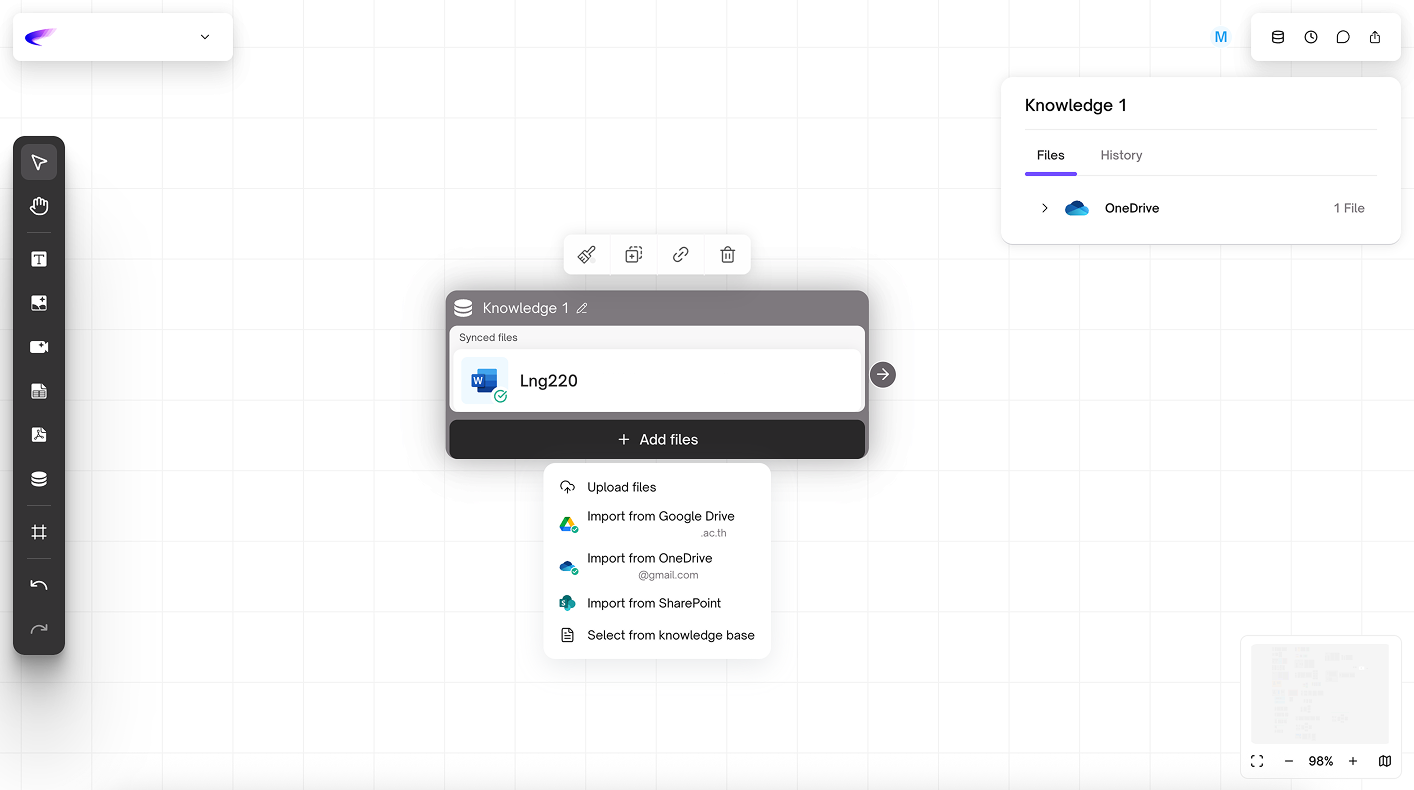
Once you have uploaded all the necessary files, they will be stored in the Knowledge database. To use or reuse specific files, click **Select from Knowledge**.
From there, you can choose which files to include or exclude for a particular task, then click Add to confirm your selection.
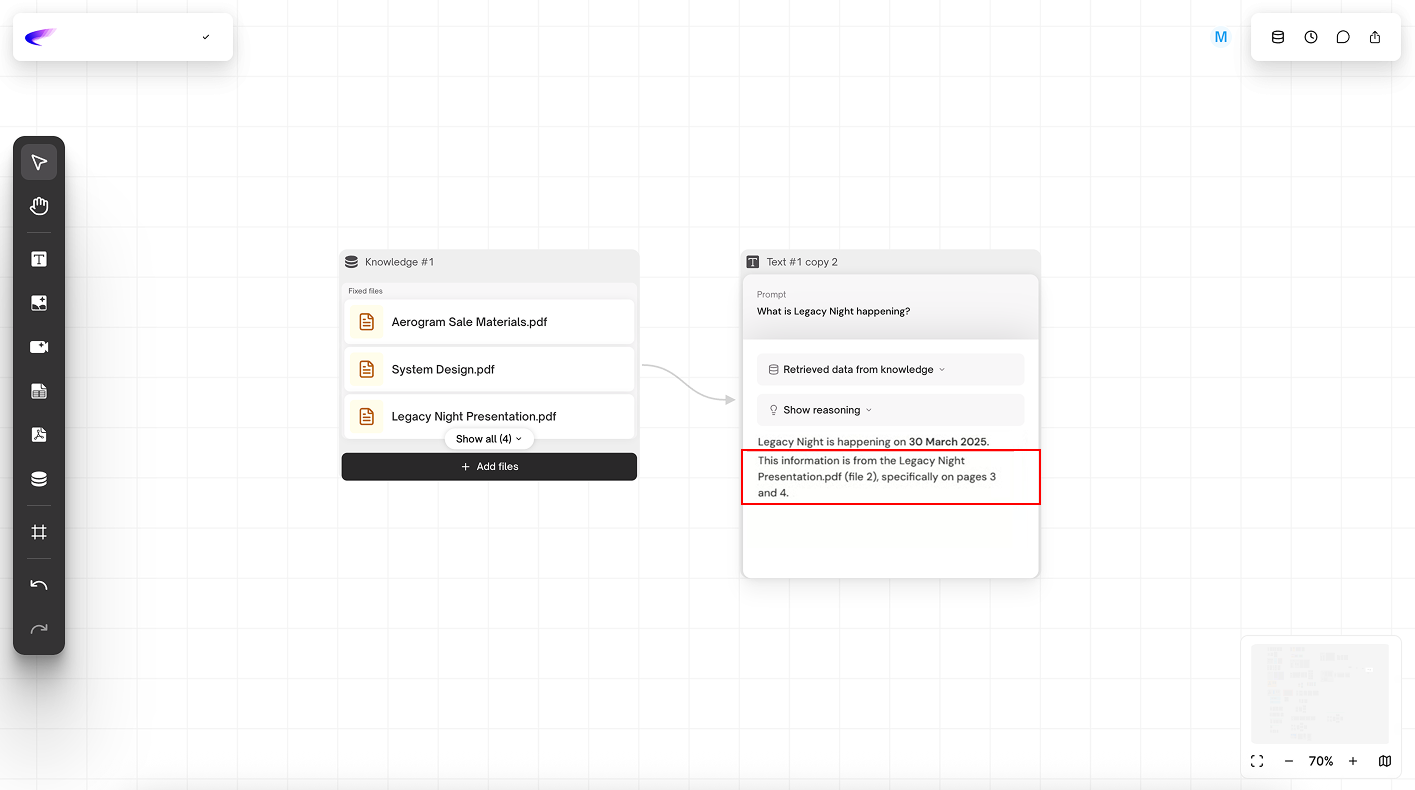
When you use a Knowledge card as input, our basic RAG system will automatically search the Knowledge database to retrieve and generate answers based on the information within the selected files. The system will also indicate the specific file(s) where the information was found.
## 'Folder & Files Sync' Update (24/11/25)
### **What is a Fixed File?**
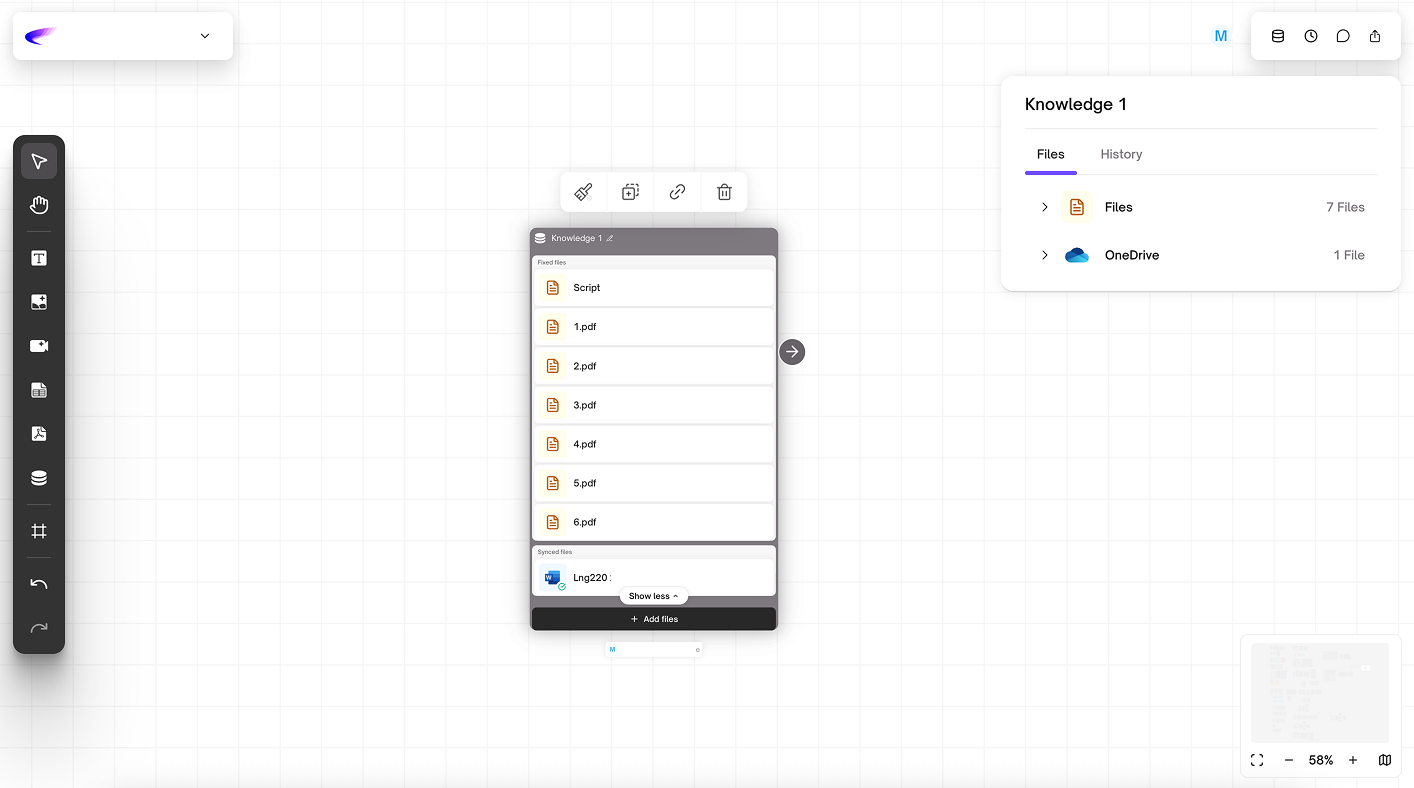
A Fixed File is a file that is uploaded as a static file. The system does not track changes from the original source. If the original file is modified, the updated version must be uploaded manually.
### What is a Sync File?
A Sync File is a file that is connected to a source system (such as OneDrive or SharePoint). The system automatically fetches and updates the file when changes are made to the source. Any updates to the original file will be reflected in the Knowledge Base according to the scheduled sync interval.
### Sync Behavior
* The system performs automatic synchronization every 2 hours (Scheduled Sync).
* Manual Sync is not supported at this time; users cannot trigger sync manually.
* There is currently no "Out of Sync" status. This means that during the 2-hour waiting period before the next sync cycle, the system cannot indicate whether a file has been updated or not.
### File Upload Limitations (per upload)
* Users can upload up to 25 files per upload.
* The total file size must not exceed 1 GB per upload.
* Uploading a folder that contains sub-folders is not supported.
* Empty files (files without any content) are not allowed.
* The maximum file size for a Knowledge Card has been increased from 50 MB to 200 MB.
{% hint style="info" %}
#### Tips
As a temporary workaround, due to the per-upload file limitation, users can upload files multiple times, with each upload limited to up to 25 files and a total size not exceeding 0.99 GB.
{% endhint %}
### Source Connection
* For Enterprise Email accounts, the connection must be performed by an Admin.\
During the connection process, the Admin must check “Allow Permission” to grant system access.
* Step-by-step instructions for setting up **Consent Permissions** can be found in this document:
.png?alt=media&token=faea6393-56bf-4983-825b-546b417cd64c)
.png?alt=media&token=4abb4e8d-7d8c-473b-946f-2d2655a83cde)
.png?alt=media&token=8bd00f96-4b48-49cd-8f8a-158b0eab63d5)
.png?alt=media&token=1b36547f-31cd-441f-bd91-927e68e32103)