# Chat

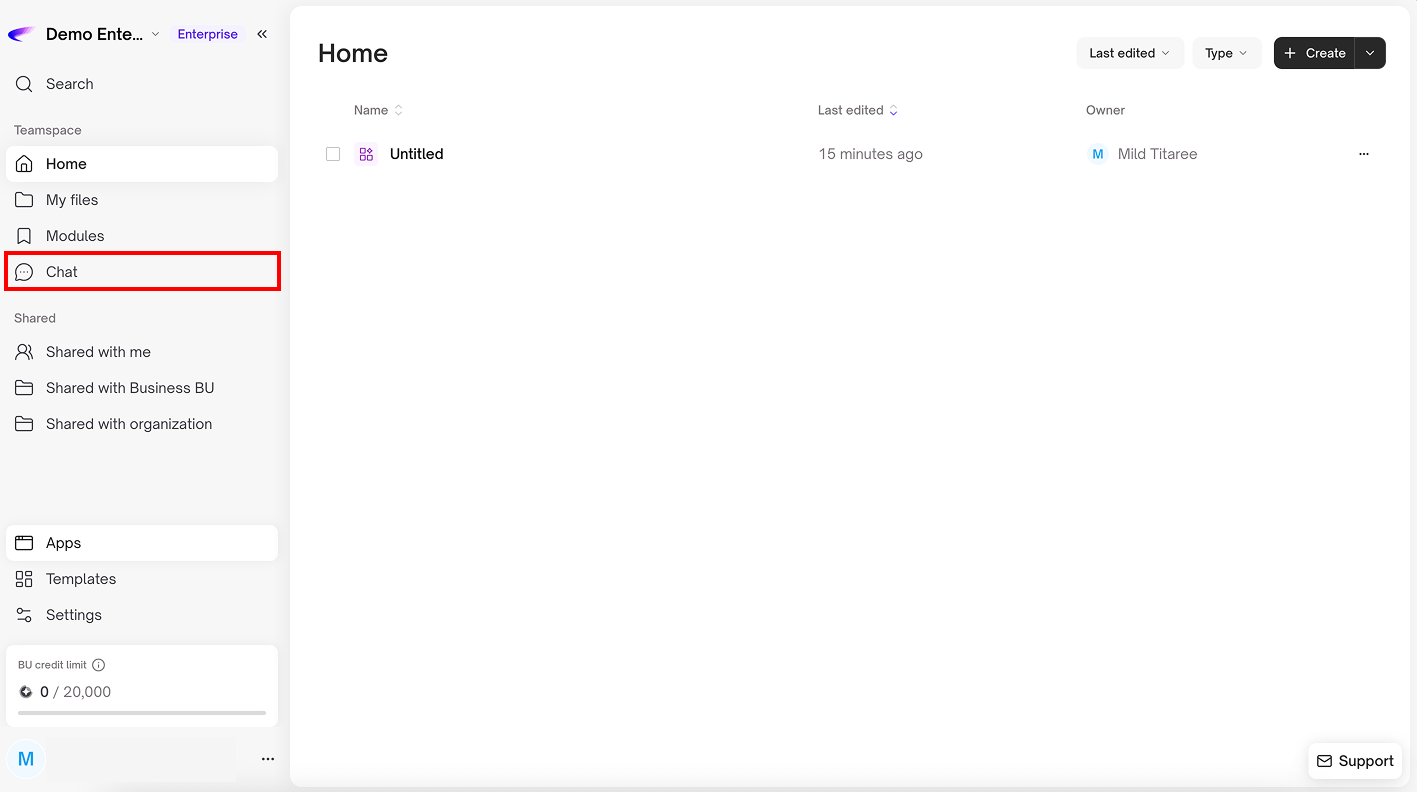
Chat is the main workspace for communicating with AI, allowing you to ask questions, analyze information, and manage tasks all in one place\
You can upload images or files, connect to knowledge bases, use organizational data, and run pre-configured Apps to automatically handle multi-step tasks

<figure><img src="https://1709498919-files.gitbook.io/~/files/v0/b/gitbook-x-prod.appspot.com/o/spaces%2F35XiPgzETMaWCLi81sLh%2Fuploads%2FwhrV5WANcRvpTEJFfbFk%2FGroup%201171276976.png?alt=media&#x26;token=d386fb79-9fe1-4922-a9d1-29ea7d49a921" alt=""><figcaption></figcaption></figure>

### **Using Chat**

**New Chat:** Start a new conversation or separate different work topics

<figure><img src="https://1709498919-files.gitbook.io/~/files/v0/b/gitbook-x-prod.appspot.com/o/spaces%2F35XiPgzETMaWCLi81sLh%2Fuploads%2FLg4H5lO6HNAeL55f23TQ%2FGroup%201171276977.png?alt=media&#x26;token=8f7f6eae-5dd8-47eb-aed6-efa23f849b62" alt=""><figcaption></figcaption></figure>

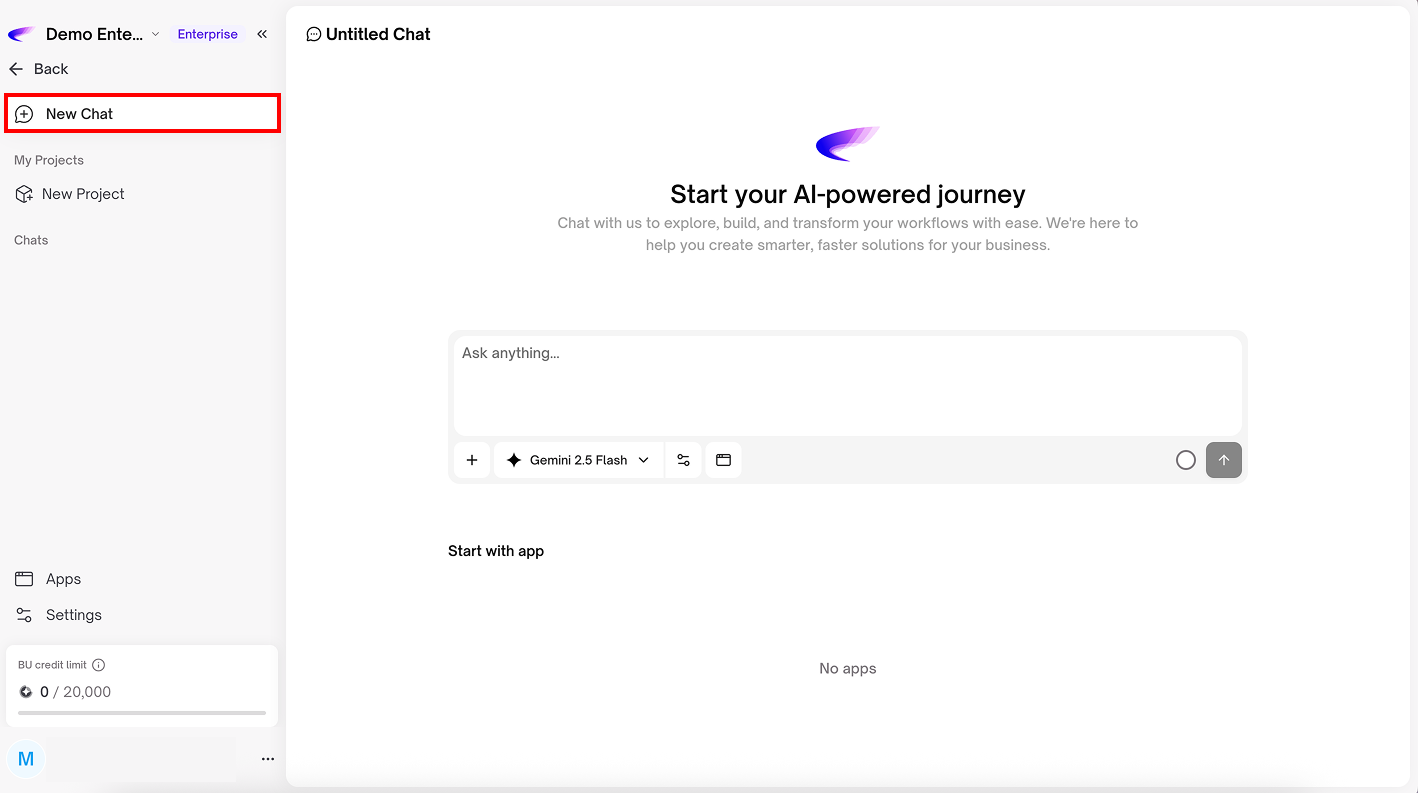
**New project:** Used to create a new project to group related tasks or conversations together

<figure><img src="https://1709498919-files.gitbook.io/~/files/v0/b/gitbook-x-prod.appspot.com/o/spaces%2F35XiPgzETMaWCLi81sLh%2Fuploads%2Fh8n6PTgfdsodgLRb8imI%2FGroup%201171276978.png?alt=media&#x26;token=f07f6ff9-e525-4c0c-bdb4-e90294e8af45" alt=""><figcaption></figcaption></figure>

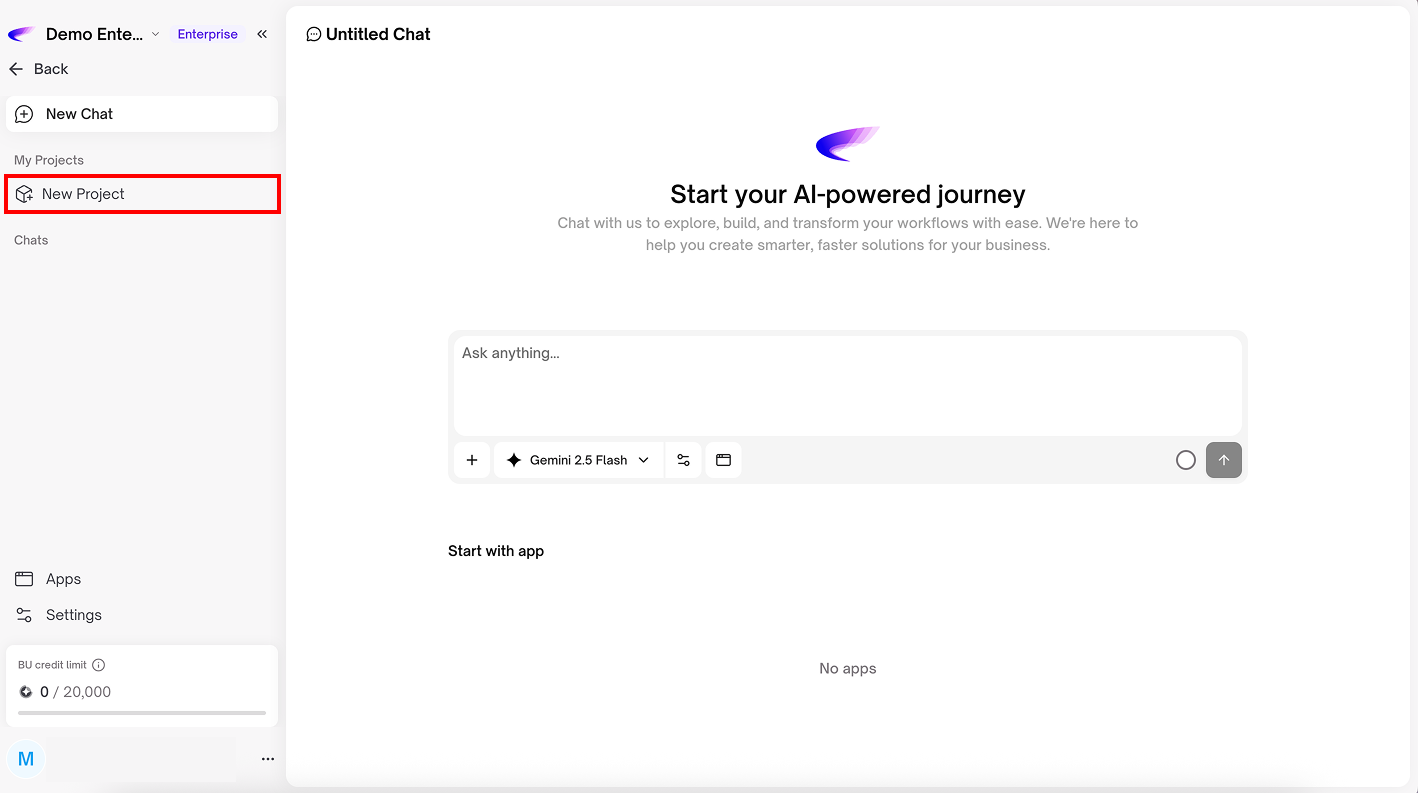
**Chat box:** For asking questions, analyzing information, and managing tasks

<figure><img src="https://1709498919-files.gitbook.io/~/files/v0/b/gitbook-x-prod.appspot.com/o/spaces%2F35XiPgzETMaWCLi81sLh%2Fuploads%2F0vwuMctaVJExClJ87ujH%2FAerogram%20Marketing%20Group%20(29).png?alt=media&#x26;token=c913280a-dd63-4a64-ae77-d5fa6c1769da" alt=""><figcaption></figcaption></figure>

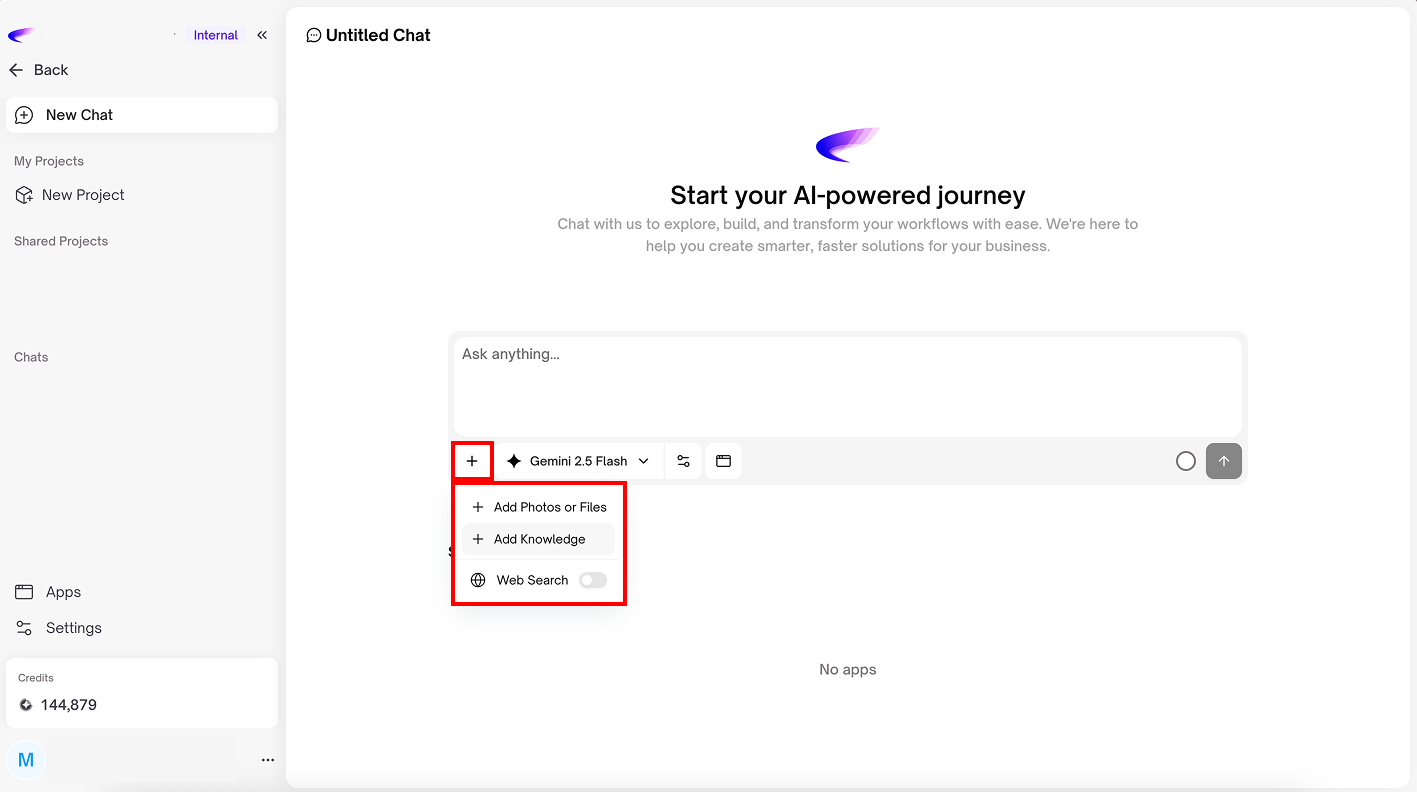
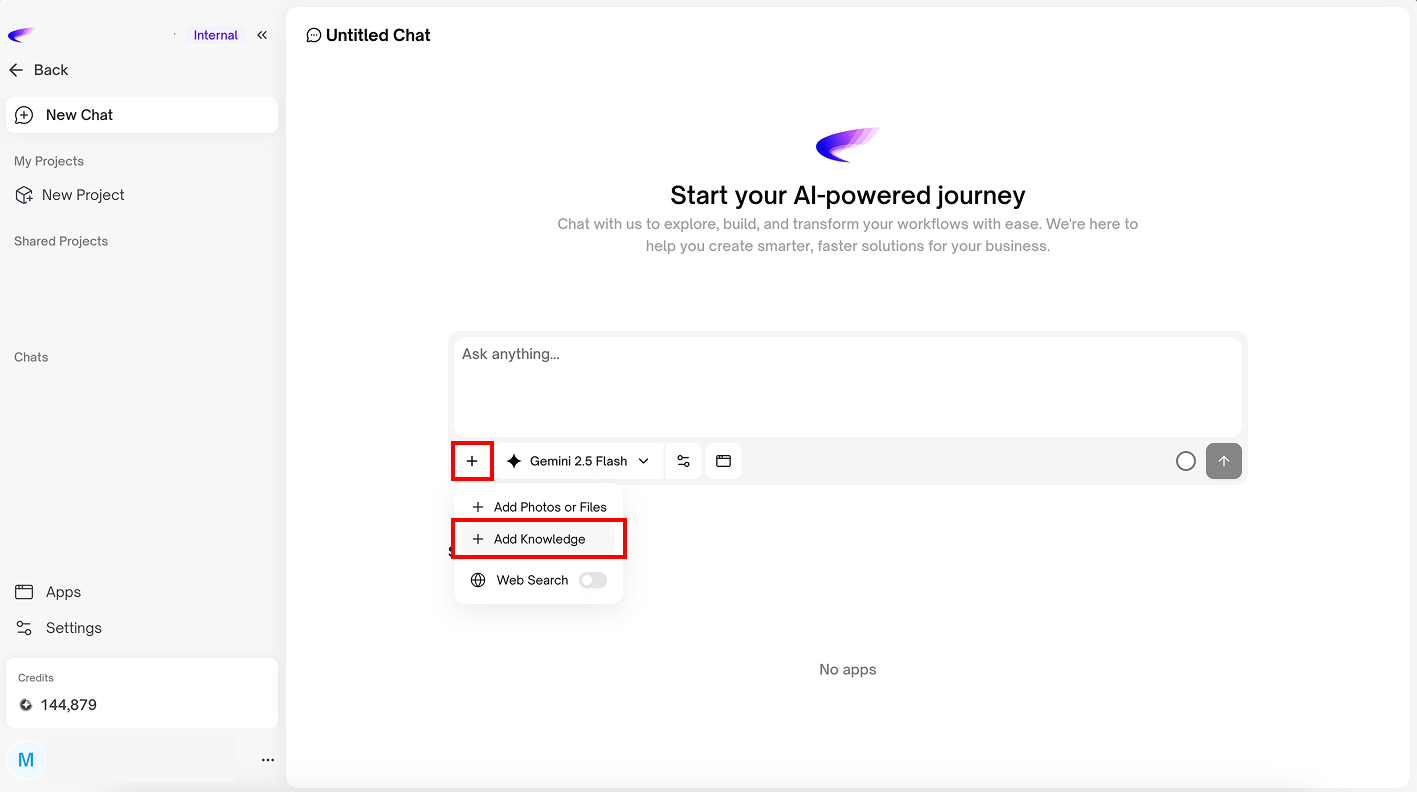
In the chat box, there is a **“+”** button that allows you to attach images or files, add a knowledge base, or search the web so the AI can better understand the context and provide more accurate assistance

<figure><img src="https://1709498919-files.gitbook.io/~/files/v0/b/gitbook-x-prod.appspot.com/o/spaces%2F35XiPgzETMaWCLi81sLh%2Fuploads%2FbA8b2wsBcrlvMJqHIAMJ%2FGroup%201171276980.png?alt=media&#x26;token=4dee7069-0f99-4331-8d32-56f87a54d1c3" alt=""><figcaption></figcaption></figure>

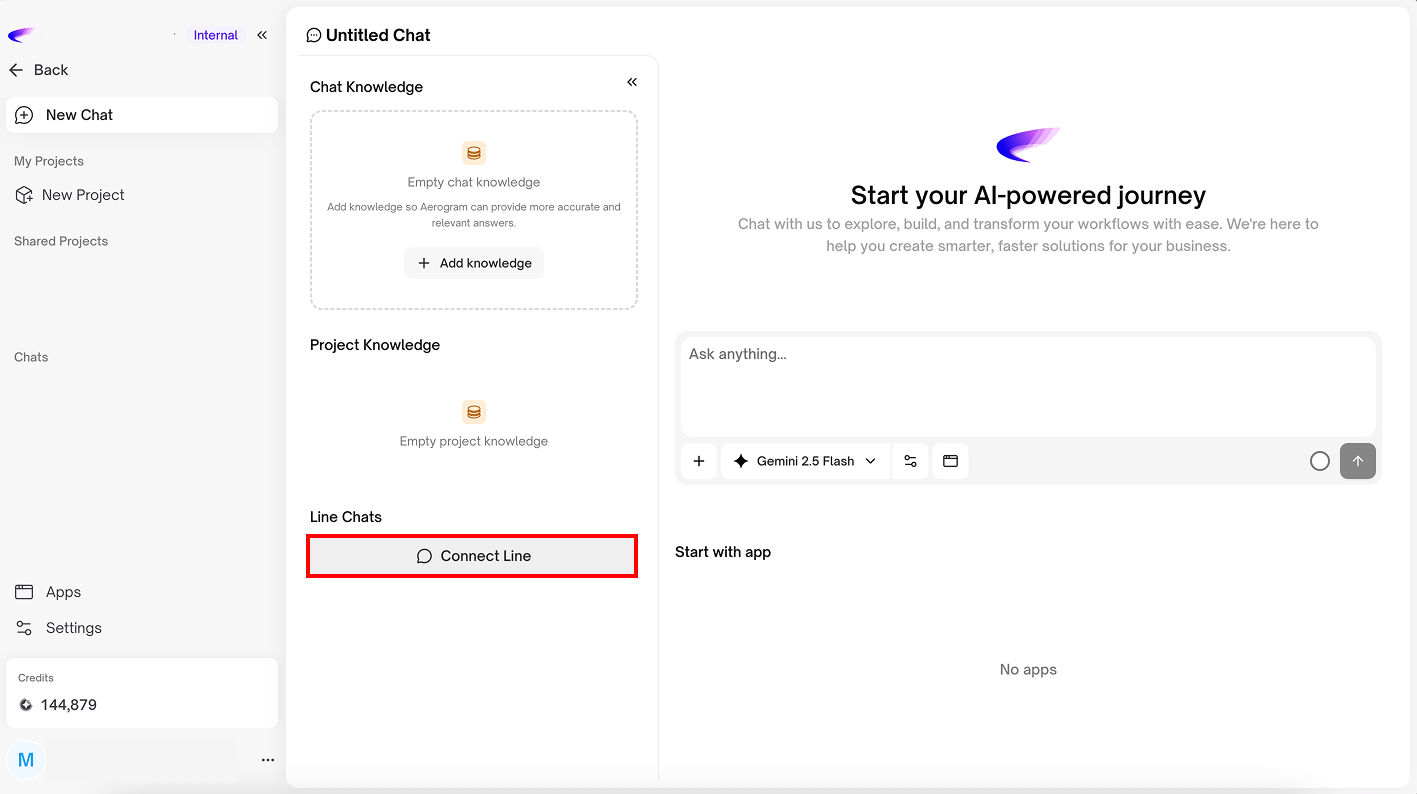
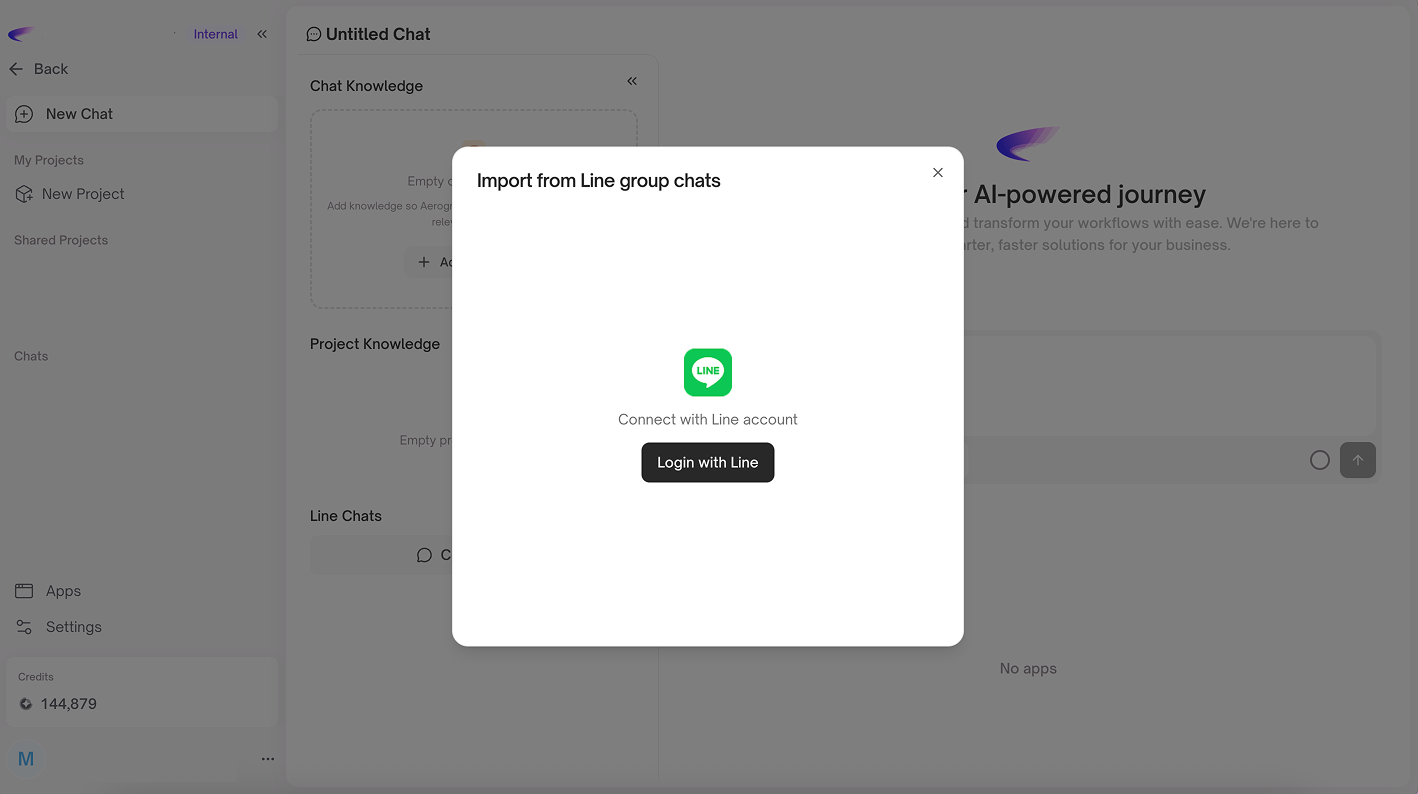
You can connect Aerogram with your LINE account so the system can import chat data from LINE groups and use it within Aerogram for your chat workflows

<figure><img src="https://1709498919-files.gitbook.io/~/files/v0/b/gitbook-x-prod.appspot.com/o/spaces%2F35XiPgzETMaWCLi81sLh%2Fuploads%2FpOZRolVJRrAwpyQc2cPa%2FGroup%201171276983.png?alt=media&#x26;token=ab91f749-1d18-464f-965f-a7f7ca0ee051" alt=""><figcaption></figcaption></figure>

<figure><img src="https://1709498919-files.gitbook.io/~/files/v0/b/gitbook-x-prod.appspot.com/o/spaces%2F35XiPgzETMaWCLi81sLh%2Fuploads%2FackSjFMm38guE9g2iKhe%2FGroup%201171276981.png?alt=media&#x26;token=6f7405e2-dd1f-4148-bae6-306135716492" alt=""><figcaption></figcaption></figure>

<figure><img src="https://1709498919-files.gitbook.io/~/files/v0/b/gitbook-x-prod.appspot.com/o/spaces%2F35XiPgzETMaWCLi81sLh%2Fuploads%2FWY0aqqr2Bc9Fe1YoKwPz%2FGroup%201171276982.png?alt=media&#x26;token=6fda68b2-c232-443f-a4ab-c001643f7666" alt=""><figcaption></figcaption></figure>

{% hint style="info" %}

#### Tips

In the chat interface, you can rename chat topics to easily identify what each conversation is about
{% endhint %}