# Member management
Member management can only be performed by the **Organization Administrator**\
The available actions that can be performed on members include:
* [Inviting members](#inviting-members)
* [Changing member roles](#changing-member-roles)
* [Removing members](#removing-members-from-the-organization)
* [Temporarily deactivating or reactivating accounts](#temporarily-deactivating-and-reactivating-members)
* [Changing a member’s business unit](#changing-a-members-business-units)
* [Managing guest users](#managing-guest-users)
***
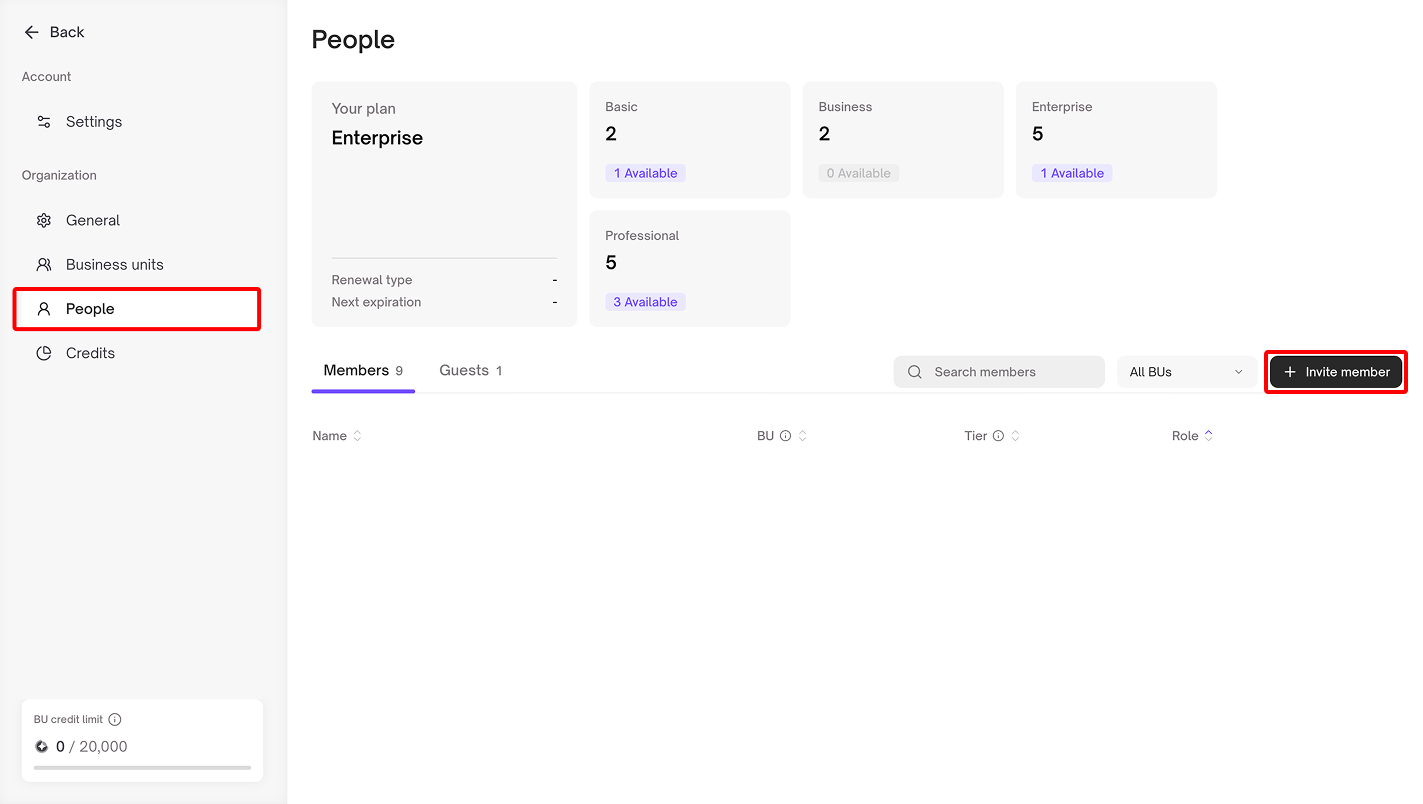
#### **Inviting Members**
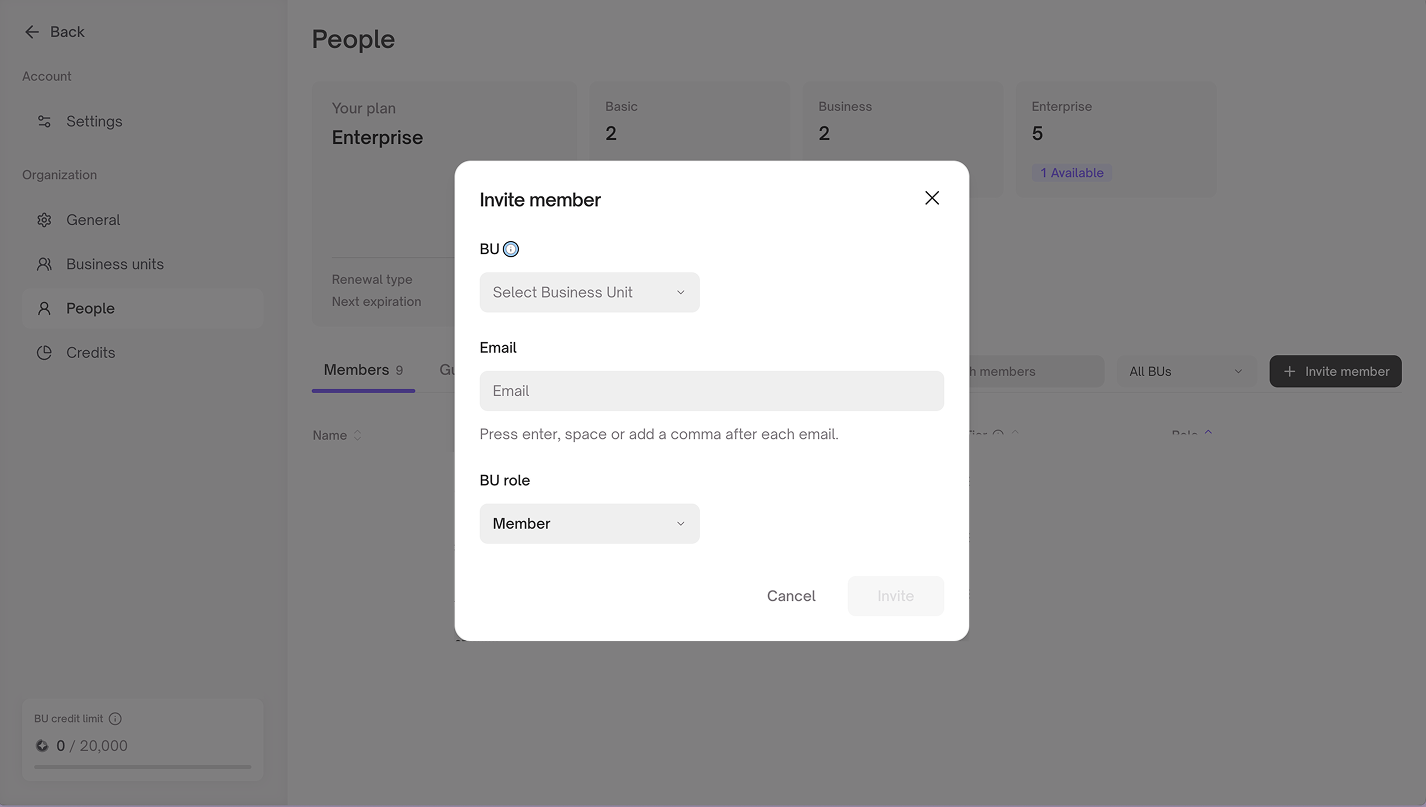
The Organization Administrator can invite new members to join the organization via the Invite Members menu by providing the following details:
1. The user’s email address
2. Option to assign the user as an Organization Administrator
3. If your organization is using the Enterprise Plan, Please select the Business unit and the role within that unit for each member you want to add\
If a Business unit is limited by its seat tier, you cannot add members beyond the remaining seats available for that tier
***
#### **Changing Member Roles**
A member can be assigned as an Organization Administrator, but only another Organization Administrator can grant this role
This setting can be accessed via the **More** button located on the far right of each member’s row
***
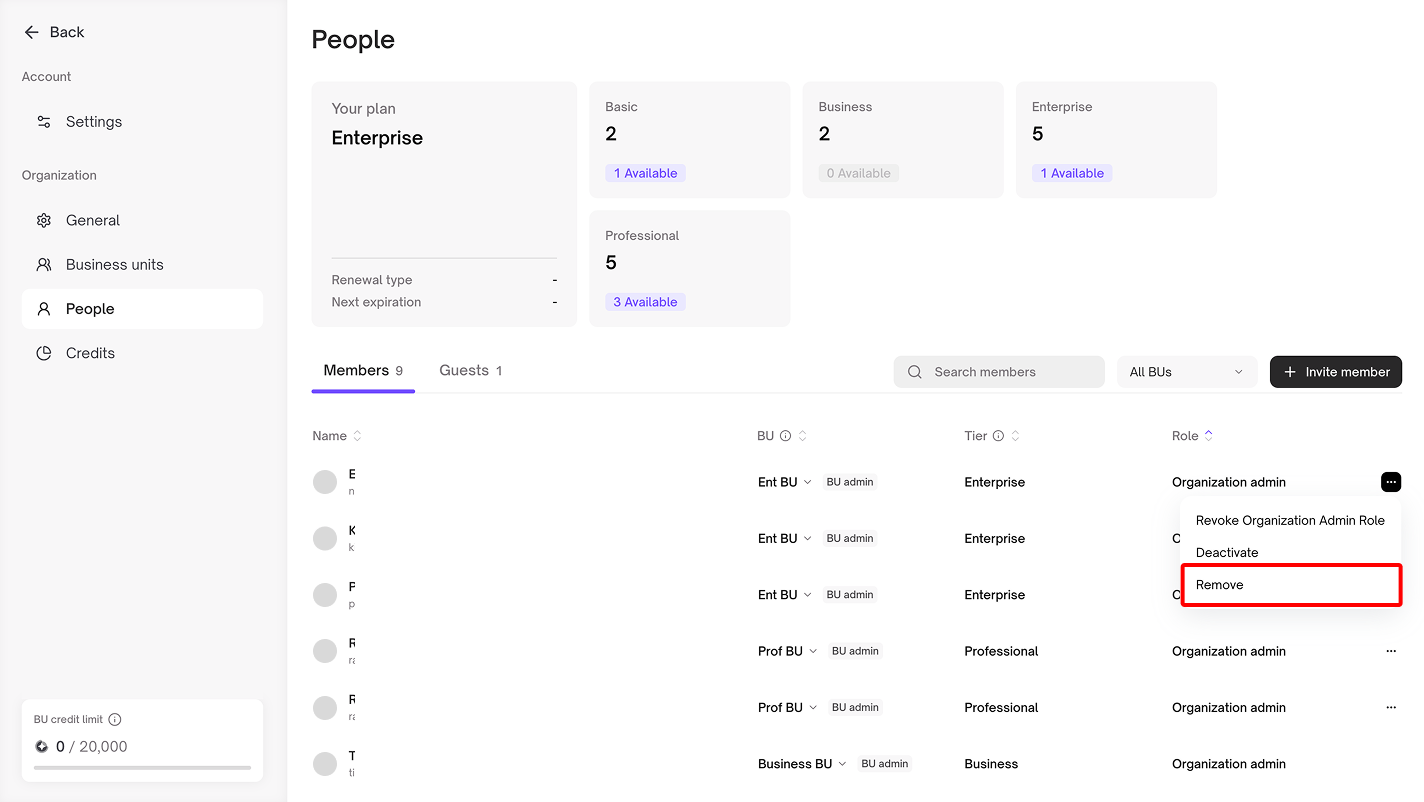
#### **Removing Members from the Organization**
The organization can remove members from its workspace. If your organization is using the Enterprise Plan, you must transfer the member’s resources to the Business unit Administrator of the unit they belong to
This setting can be accessed via the **More** button located on the far right of each member’s row
***
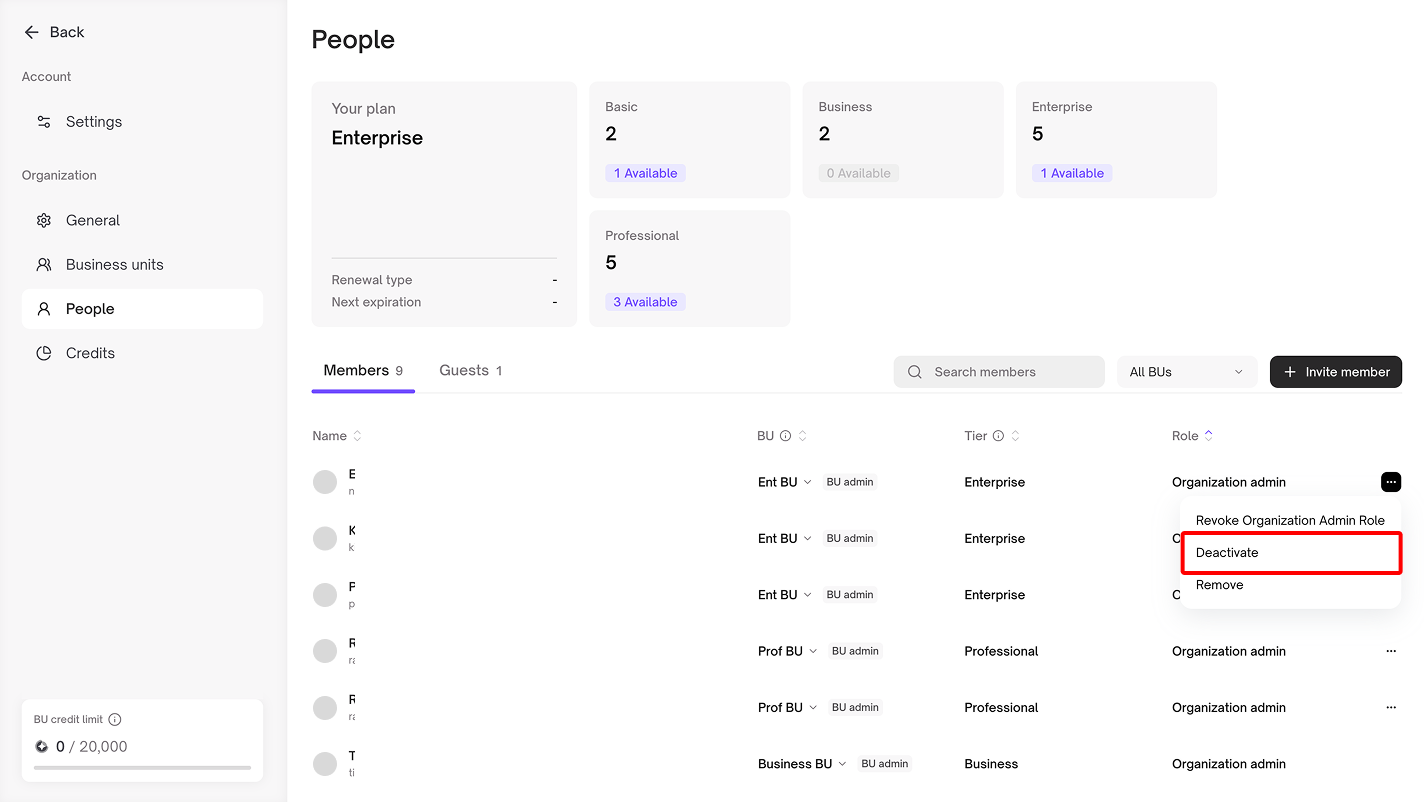
#### **Temporarily Deactivating and Reactivating Members**
The organization can deactivate a member at any time.\
If your organization has Business units, deactivated members will not be counted toward that unit’s seat allocation
This action is different from removal — when reactivated, the member will regain access to all resources they had before being deactivated.\
You can access this setting via the **More** button located on the far right of each member’s row
***
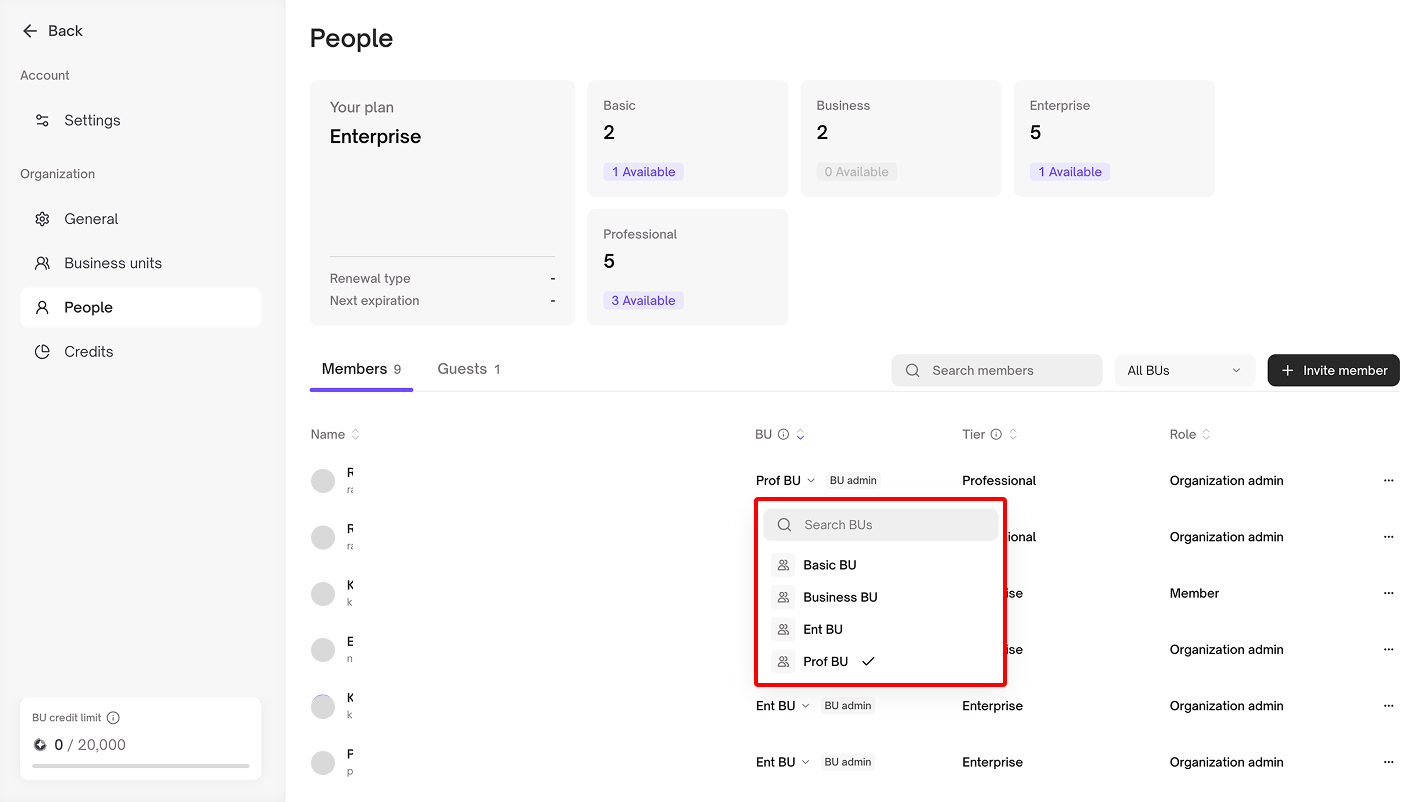
#### **Changing a Member’s Business units**
The Organization Administrator can change a member’s Business unit by clicking on the unit name displayed next to that member. If your organization is using the Enterprise Plan, you must transfer the member’s resources to the **Business unit Administrator** of their previous unit before proceeding
If the target Business unit has a seat tier limit, please ensure there are enough available seats before moving the member
***
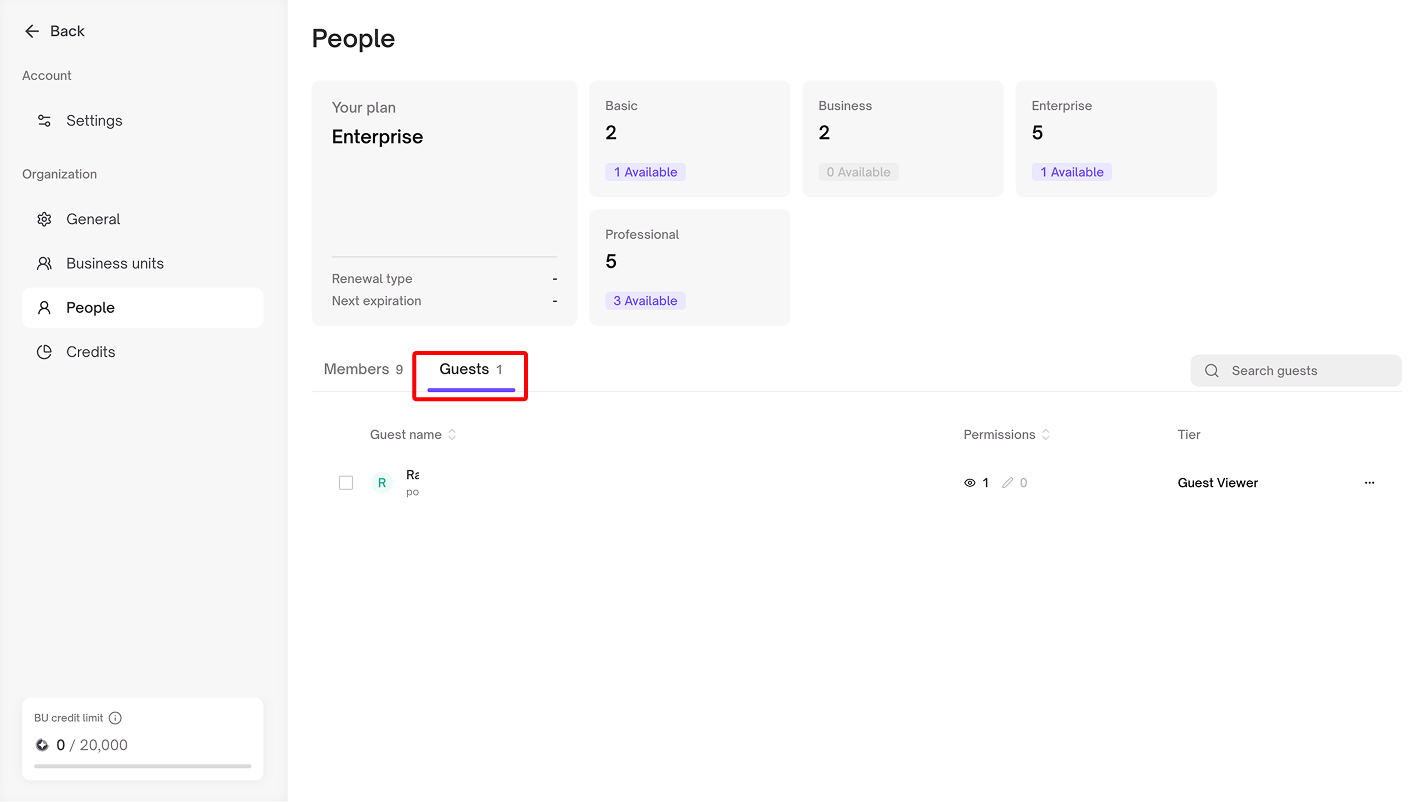
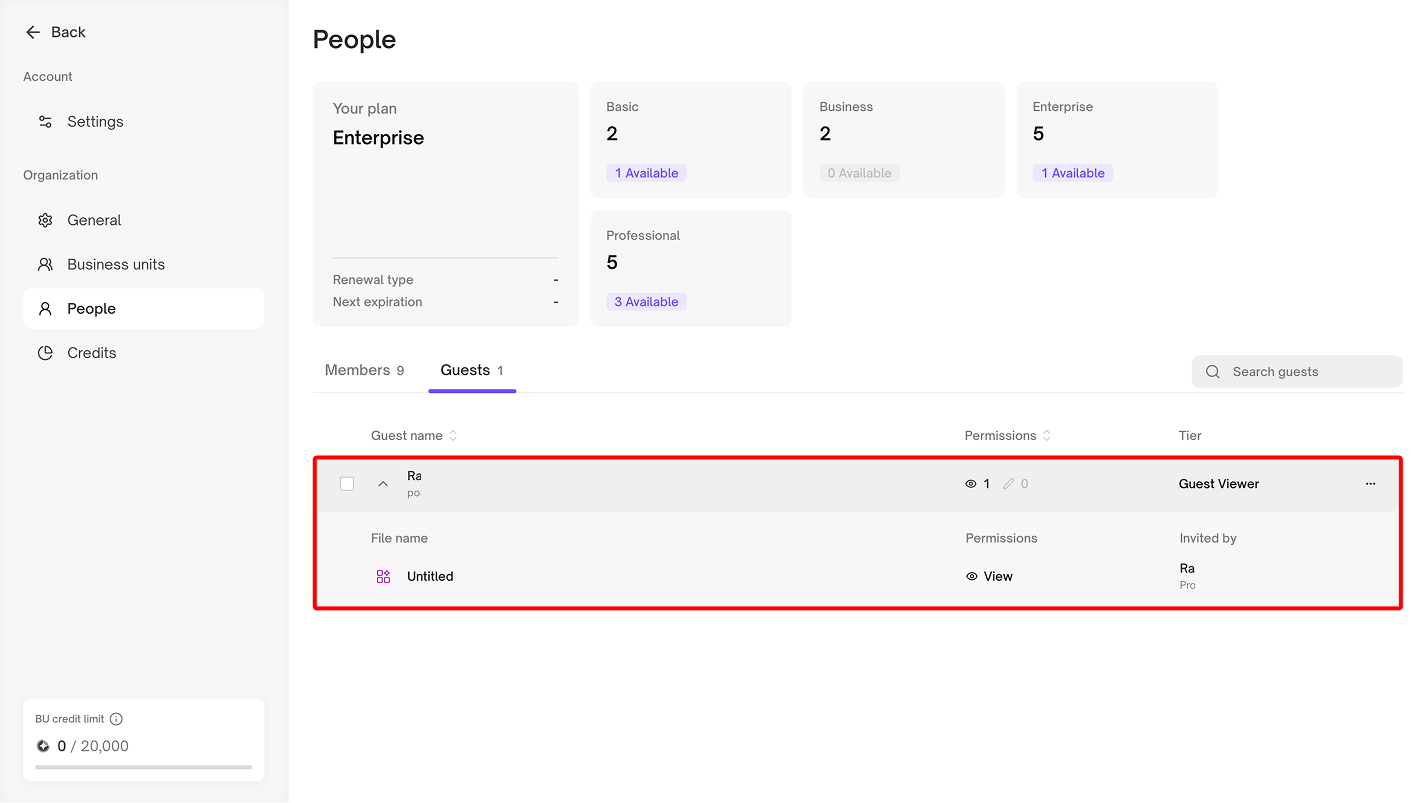
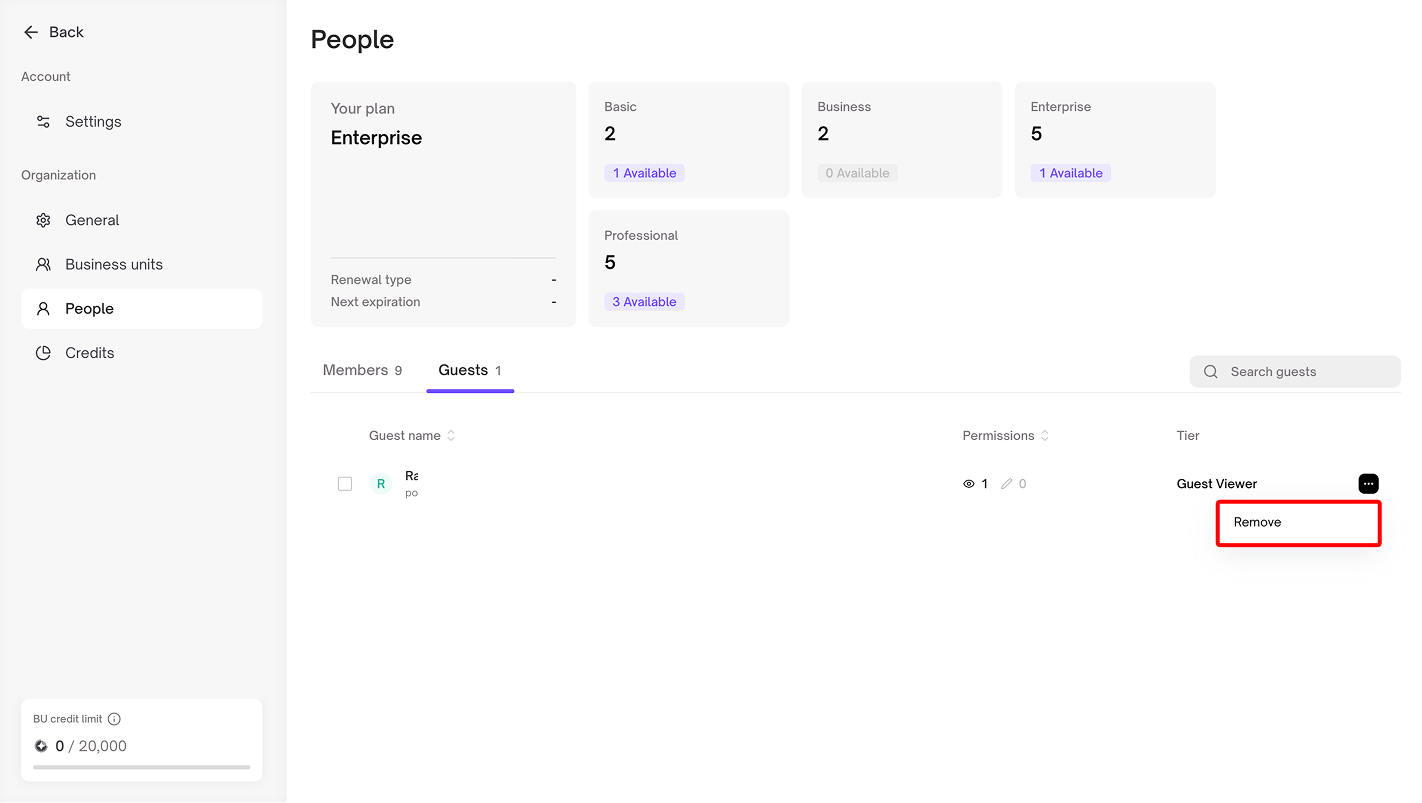
#### **Managing Guest Users**
The Organization Administrator can:
* View all members and guest users within the organization
* Monitor resource access granted to guest users
* Remove guest users from the organization, which will also revoke all access to resources within the system
.png?alt=media&token=491f61ed-624f-47ca-8e2a-cb6fa591b098)